A NEW CHAPTER AWAITS YOU
DOWNLOADS
Download the necessary files to connect to the server!
Amerika Launcher
The next step to connect to Amerika is to download and install our launcher. This software is the tool that will connect you to our server and ensure your game is always up to date. To install it, click the following link and follow the provided instructions. Remember, the launcher should be installed in the same folder where the game was installed.
Installation for Windows
02 · HIGH FIVE CLIENT
Download files
To embark on the incredible adventure that Amerika offers, it's essential that you have the High Five game client installed on your computer. If you don't have it yet, don't worry! You can download the complete game through our launcher by clicking the link below.
FROM THE FIRST STEP TO YOUR NEXT CONQUEST
Start with everything ready.
Getting Started Guide
Video guideWE CAN HELP
Running into an error?
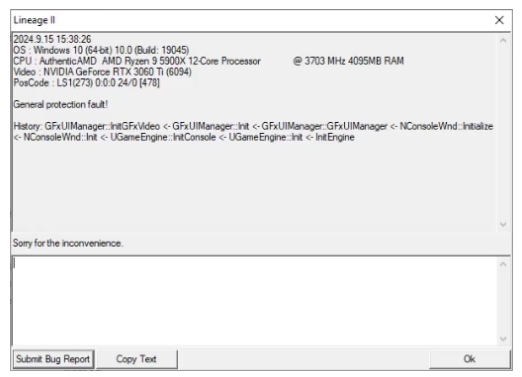
If you are encountering critical errors during gameplay, please be aware that the game will report a specific error code. These codes can provide important information about the cause of the issue and how to resolve it. To help you troubleshoot, visit our solutions page where we explain the most common error causes and the steps you can take to fix them.
Click here for solutionsView a Critical Error example+